The mobile header in Sydney is now managed through the Header & Footer Builder. You can access the mobile header styling options from Appearance > Customize > Header > Mobile Tab.
For a complete overview of the Header & Footer Builder, including how to add rows, columns, and components, see the Header & Footer Builder documentation.
Mobile Offcanvas Styling
The off-canvas menu panel has its own dedicated styling section. To access it, go to Customize > Header > Mobile Offcanvas and click the Style tab.
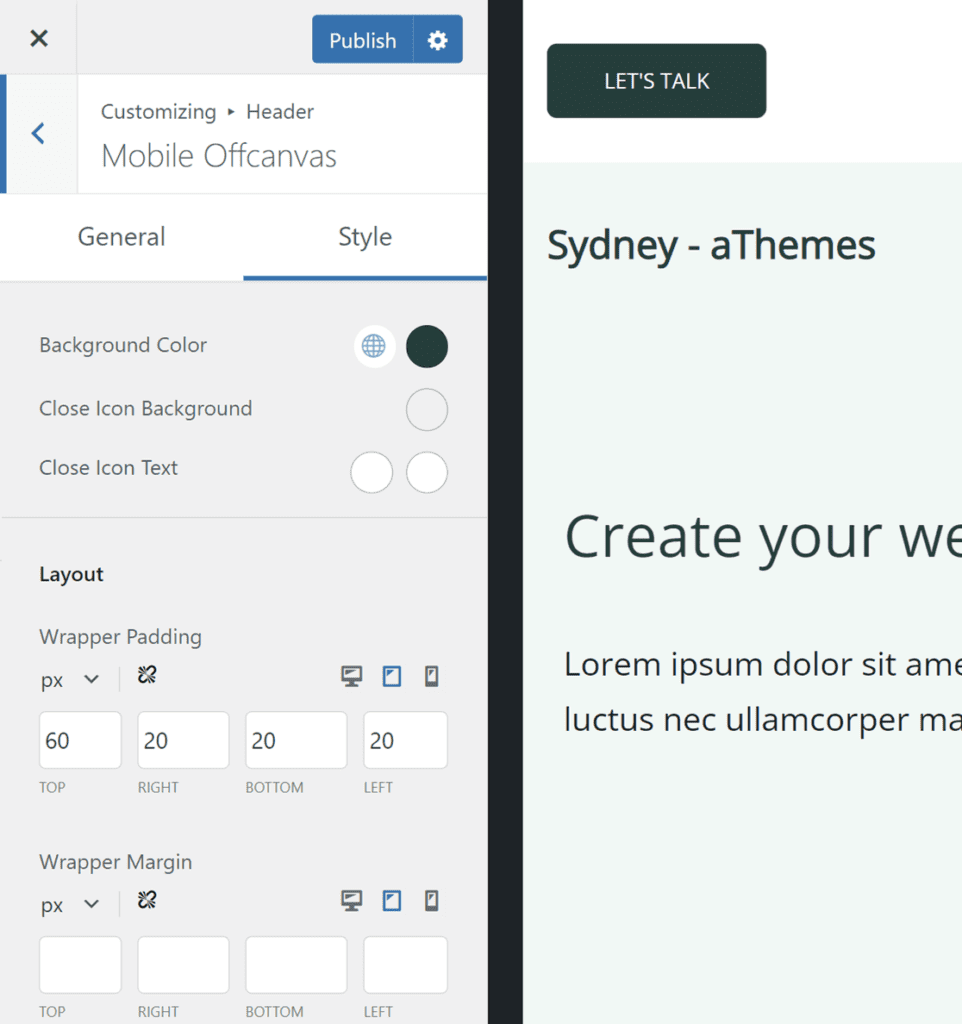
The following styling options are available:
Colors
- Background Color — Set the background color of the off-canvas panel.
- Close Icon Background — Set the background color of the close (X) button.
- Close Icon Text — Set the color of the close icon, with separate options for the normal and hover states.
Layout
- Wrapper Padding — Control the inner padding of the off-canvas panel (top, right, bottom, left). This setting supports responsive values, so you can set different padding for desktop, tablet, and mobile devices using the device toggle icons.
- Wrapper Margin — Control the outer margin of the off-canvas panel (top, right, bottom, left). This also supports responsive values per device.
That’s it! You can now fully customize the appearance of your mobile header and off-canvas menu using the Header & Footer Builder.
