Would you like to easily duplicate pages on your WordPress site using the aThemes Addons? The aThemes Page Duplicator feature allows you to quickly create copies of your existing pages, streamlining your workflow and saving time.
This guide will show you how to enable and use the Page Duplicator feature.
Enabling the Page Duplicator Extension
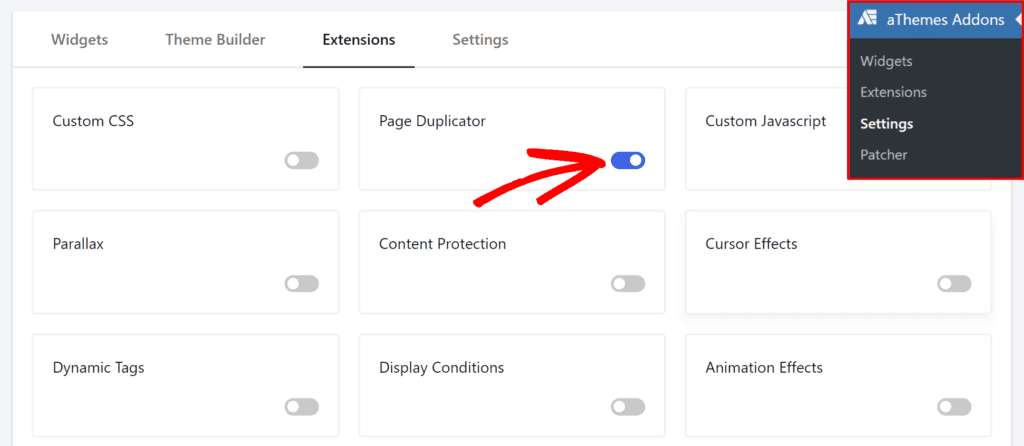
To enable the Page Duplicator extension, go to aThemes Addons > Settings and click on the Extensions tab. From there, click on the toggle button for the Page Duplicator extension.
Using the Page Duplicator Extension
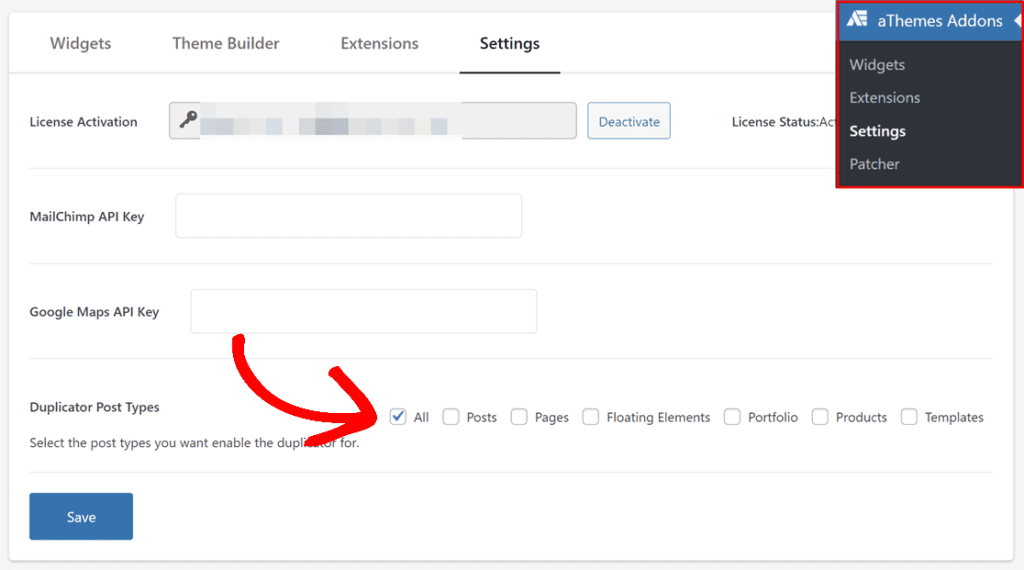
To use the aThemes Duplicator, you need to enable it for the specific post types you want to duplicate.
- Navigate to Settings > aThemes Addons in your WordPress admin area.
- In the Settings section, locate the Duplicator feature.
- Check the boxes for the post types where you want the duplicator feature to be available. This could include pages, posts, or any custom post types you have on your site.
- Click the Save button to apply your settings.
Once the duplicator feature is enabled, you can easily duplicate pages directly from the Pages list.
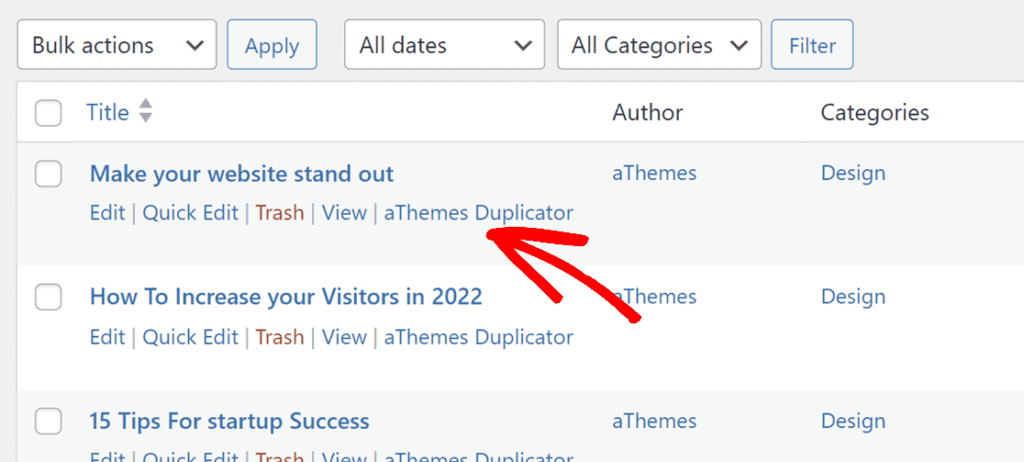
That’s it! You can now easily duplicate pages using the aThemes Duplicator feature, enhancing your productivity and simplifying content management.
