Add a Background Image to Your Site in Botiga
Would you like to add a background image to your WordPress site? Botiga supports the core WordPress background image feature, so you can set one up directly from the Customizer in just a few clicks.
In this guide, we’ll walk you through how to add a background image to your website in Botiga.
Before you get started, make sure you’ve installed and activated the Botiga theme on your WordPress site. If you’re using features from Botiga Pro, ensure that both the Botiga theme and the Botiga Pro plugin are installed and active.
Setting Your Background Image
From your admin area, go to Customize >> General >> Background Image. You’ll see the following option:
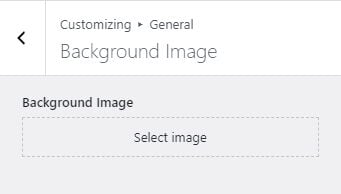
Once you select your background image, a new set of options will automatically appear. Use these to fine-tune how the image displays, including position, repeat behavior, and size.

That’s it! You’ve successfully added a background image to your Botiga site.
Next, would you like to refine the colors that sit alongside your background? Check out our guide on customizing color options in Botiga to learn more.